BirdBrain is part of the CreXo family of brands!
Learn MoreBirdBrain is part of the CreXo family of brands!
Learn MoreChoosing a robotics kit can feel simple until the boxes are open. One set may offer bright blocks and quick builds, while another expects careful wiring, coding, and patience. This guide explores ten robotics learning kits available in China, with attention to what learners actually do at the table. Learning through robotics becomes meaningful when students can build, test, notice a problem, and try again. A moving wheel or a sensor that misses its mark can teach more than a polished demonstration.
The comparison considers age guidance, construction steps, programming options, included parts, and room for creative projects. It also asks practical questions: Are instructions clear? Can a beginner get started without constant adult help? Are replacement components and learning resources easy to find? These details matter as much as advertised features. Some kits are better suited to guided classroom activities; others may encourage open-ended experiments at home. There is no single best choice for every child.
Product availability, software support, and kit contents can change, so readers should verify current details with sellers or manufacturers before buying. The rankings are a starting point, not a guarantee of learning outcomes. A kit cannot replace a patient teacher—or a learner willing to make mistakes. That part is still human. This overview aims to make the options easier to compare, while recognizing that a first robot may wobble, stall, or refuse to follow its code. That is not always a failure. Sometimes it is the most useful lesson in the room.
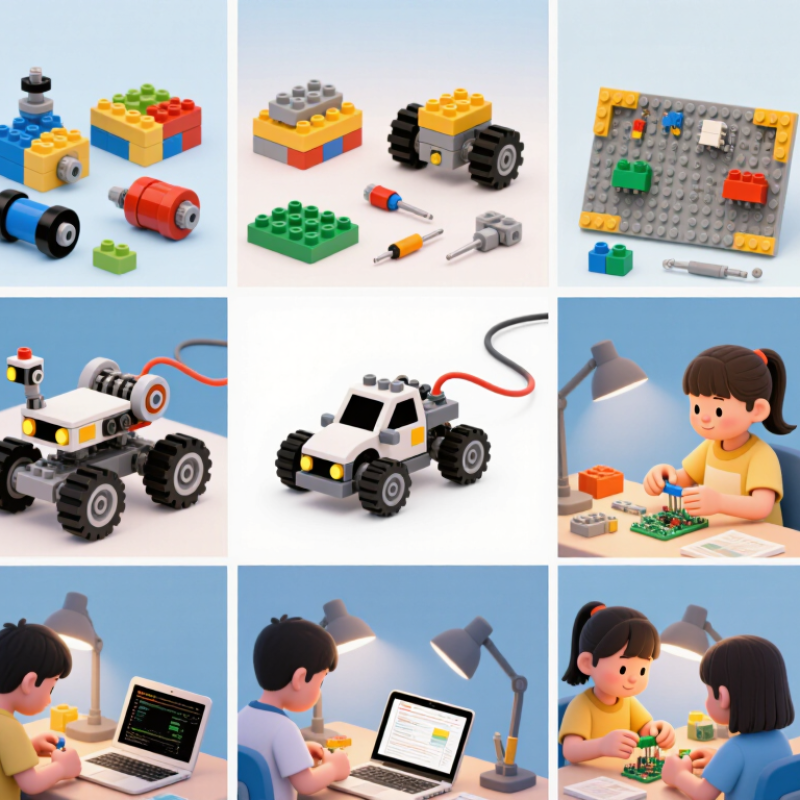
Learning-through-robotics kits turn abstract ideas into moving, testable projects. They usually pair a small controller with motors, sensors, connectors, and simple coding tools. A learner might program a wheeled model to follow a dark line across a desk. Light sensors detect contrast, while the controller compares readings and adjusts motor speed. That feedback matters.
Building and testing connects coding with basic engineering. Children can change one instruction, run the robot again, and observe what happens. A first build may wobble or turn too early; that is useful evidence, not proof of failure. With age-appropriate guidance, learners can explore sequencing, cause and effect, measurement, and teamwork. Results vary, though: a kit cannot teach by itself, and unclear instructions can slow a promising project.
Tips: Begin with a small task, such as making a robot travel one metre. Keep the floor clear, test one change at a time, and ask the learner to explain what the sensors noticed.
Robotics kits make STEM concepts visible. A student can connect a motor, adjust a wheel, and watch a simple machine move across a desk. That small test links electrical circuits with motion, force, and measurement. If a sensor misses a nearby object, students can check its angle, wiring, or code instead of guessing. Each change gives them a question to investigate.
The learning is practical, too. Students plan tasks, share tools, read instructions, and explain why a design behaves differently than expected. Small wins matter. A robot that follows a taped line may require repeated adjustments to its speed and sensor position. Recording each attempt helps learners compare results and spot patterns. These activities also build patience and problem-solving habits that transfer to other projects. Still, a kit does not teach by itself. Some instructions can feel confusing, and a first build may not work as pictured. That frustration is useful only when students have time to test ideas, ask questions, and revise their approach.
Robotics projects can connect problem-solving, modeling, testing, data analysis, and communication. This chart groups the eight practices in the Next Generation Science Standards (NGSS) into five robotics-relevant skill areas. Bars count framework practices—not measured learning gains.
Source: NGSS Science and Engineering Practices. Groupings are an explanatory crosswalk, not an evaluation of a particular kit.
A useful comparison begins with learning goals, not the number of parts in the box. Check whether projects teach sequencing, sensors, basic mechanics, or more advanced coding. Match the activities to learners’ ages and classroom time. A small wheeled robot should be buildable without an adult doing every step. Test it.
For kits sold in China, compare Chinese-language instructions, replacement-part availability, and the time needed to assemble each project. Check whether the software works on the devices students actually use. Also compare the full cost: controllers, batteries, compatible accessories, and likely replacements. The International Federation of Robotics’ World Robotics 2024 report says China installed 276,288 industrial robots in 2023, representing 51% of global installations. This signals a strong robotics ecosystem, but it does not prove that any learning kit is effective. Classroom trials and clear learning outcomes matter more.
Tips: Ask students to build one sample project before comparing kits. Note confusing steps, loose wires, and how quickly the robot responds to a sensor. No checklist is perfect; teacher support and student experience can change the results.
In China, learning-through-robotics kits are better judged by what learners build and test than by how futuristic they look. Ten notable formats offer different entry points: block-coded wheeled robots, sensor rovers, line-following bots, maze-solving cars, modular construction sets, robotic arms, microcontroller kits, camera-guided robots, interactive humanoid models, and classroom challenge kits. Each makes an abstract idea visible. A learner might change a few code blocks, then watch a small car turn too early at a black tape junction.
The strongest kits connect building, coding, and testing. A sensor rover can show how light readings change near a window. A robotic arm makes joint movement and grip strength easier to discuss. Microcontroller kits add flexibility, but require more patience with wiring and debugging. Simple tasks matter. Try a robot that must follow a taped route, stop before a paper cup, or move a foam cube between two marked zones.
Kit choice should match the learner’s age, tools, and support. Clear instructions, replaceable parts, and room for open-ended changes are practical signs of quality. Still, no kit guarantees deep learning. Some activities become button pressing, and a robot that works once may fail on a different floor. That frustration can teach useful lessons, though it deserves time and thoughtful guidance.
Choosing a robotics kit starts with the learner, not the number of parts in the box. For ages 4–6, look for large components, simple push-button controls, and short building steps. A child should be able to attach a wheel or sensor without tiny tools. Keep adult guidance nearby. Frustration can arrive before the robot moves.
For ages 7–10, kits with basic motors, sensors, and visual coding can introduce cause and effect. A light sensor, for example, might make a small rover turn when it reaches a shadow. Check that instructions explain what each part does, not just where it connects. That detail matters. For learners aged 11 and up, programmable sensors and adjustable structures can support more open-ended projects, though a steep learning curve may stall progress.
Match the kit to a clear goal: building confidence, learning basic coding, or exploring engineering ideas. If coding is the priority, look for tasks that gradually introduce more complex logic. For hands-on design, reusable pieces and room for imperfect prototypes are valuable. It is easy to assume more components mean more learning; they do not. A modest kit used regularly may be more useful than a complex one left untouched.
A practical comparison of ten common robotics kit formats. These are kit types, not a ranked list of brands or products. Age suitability depends on the learner’s reading, building, and supervision needs.
| Kit Format | Typical Age Range | Typical Learning Goal | Common Components | Programming or Control | Best Fit and Selection Notes |
|---|---|---|---|---|---|
| Screen-free coding robot | Ages 4–7 | Sequencing, direction, and cause and effect | Simple wheeled robot, directional buttons or cards, activity mats | Button-based commands or physical command cards; usually no coding screen required | Choose large, durable parts and clear activities. Adult guidance is useful for planning and troubleshooting. |
| Snap-together circuit and motion kit | Ages 6–9 | Basic circuits, motors, and input-output relationships | Low-voltage power source, connector modules, motor, switches, and simple sensors | Physical assembly and switch-based control; some sets add block coding | Look for clearly labeled connections, illustrated instructions, and age-appropriate electrical components. |
| Building-block mobile robot kit | Ages 7–10 | Mechanical design, motion, and introductory problem-solving | Reusable beams or blocks, wheels, axles, motor, and battery holder | Manual controls or beginner block-based commands, depending on the kit | Useful for learners who enjoy open-ended construction. Check that the pieces can be reused for multiple designs. |
| Drag-and-drop coding robot kit | Ages 8–12 | Algorithms, loops, events, and debugging | Programmable controller, motors, wheels, and basic sensors | Visual blocks on a computer or tablet; some systems also support button-based programming | Check device compatibility, offline access, and whether the lessons progress beyond guided tutorials. |
| Line-following robotics kit | Ages 9–13 | Sensors, feedback, calibration, and conditional logic | Mobile chassis, drive motors, downward-facing light or reflectance sensors, controller | Block coding or text-based commands, depending on the controller and curriculum | A strong choice for experiments with sensor readings. Check whether track materials or calibration guidance are included. |
| Ultrasonic obstacle-avoidance kit | Ages 10–14 | Distance sensing, conditionals, and autonomous behavior | Wheeled chassis, motor driver, controller, and distance sensor | Usually block coding; some controllers can be programmed with a text-based language | Good for testing thresholds and navigation strategies. Confirm that the learner can safely assemble and power the electronics. |
| Microcontroller-based robotics kit | Ages 11–16 | Electronics, sensor data, and introductory programming | Microcontroller board, breadboard or connectors, sensors, motors, and chassis parts | Block coding and/or a text-based programming environment, depending on the board | Suitable for learners ready to connect components and read code. Check documentation quality, replacement parts, and computer requirements. |
| Robot arm and manipulation kit | Ages 12–16 | Joints, movement, coordinate thinking, and automation | Multi-joint arm structure, servos or geared motors, controller, and a simple gripper | Position commands, block coding, or text-based control | Check the number of controllable joints, assembly difficulty, and safe operating limits. This format is generally less suited to very young beginners. |
| Programmable humanoid or walking robot kit | Ages 12–17 | Gait, balance, coordinated movement, and control sequences | Leg or multi-joint frame, multiple actuators, controller, and battery pack | Preset motion sequences or programmable actuator positions | Best for learners interested in complex mechanisms. Compare assembly time, battery requirements, and the quality of motion-programming materials. |
| Competition-style modular robotics kit | Ages 13–18 | Engineering design, iteration, teamwork, and project planning | Modular structural parts, controller, motors, sensors, and interchangeable mechanisms | Block or text-based programming, often with options for autonomous and remote control | Choose when the learner wants sustained projects or team challenges. Review expansion costs, spare-part availability, and curriculum support. |
How to choose: Match the kit to the learner’s current abilities and goal, then check supervision needs, included lessons, device compatibility, power requirements, spare-part availability, and the scope for building more than one project.
To provide the best experiences, we use cookies to store and/or access device information. Consenting to these technologies will allow us to process data such as browsing behavior or unique IDs on this site. Not consenting or withdrawing consent, may adversely affect certain features and functions.